If you use Windows, you can install that software to browse your registry. If you have already set up Flatpak via WSL or whatever, I can imagine that being a decent option.

SatyrSack
- 0 Posts
- 44 Comments
Joined 1 year ago
Cake day: August 25th, 2025
You are not logged in. If you use a Fediverse account that is able to follow users, you can follow this user.
 11·21 days ago
Anubis is open source under the MIT license. If the branding is an issue, fork it, change the branding, call it good.
People complained when the Tesseract dev did that. Though that response may have been emotionally charged due to what was also happening with Tesseract.
All these comments about the URL being unprofessional or whatever, and I am just now realizing what they mean by that. I saw
anubis.techaro.loland didn’t get what about that was unprofessional. Professional tools can be named after mythological beings, etc. It wasn’t until seeing your comment here that I realizedlolmay seem unprofessional or something.
 32·23 days ago
4K Blu-ray discs have some extra encryption or something and most PC disc drives do not work with it. This forum post seems to be the go-to community resource for identifying the specific models which actually are capable of ripping 4K Blu-ray discs: https://forum.makemkv.com/forum/viewtopic.php?t=19634
But standard Blu-ray and DVD can be ripped with pretty much any drive. Go nuts.
Mounted drives
They should show up in the bottom of the Places pane on the left, in the “Devices” section. If it literally cannot find them, then I can’t say anything about what is wrong.
Shared drive
You should be able to add a network folder in Places (the left pane) > Network > Add Network Folder (in the top menu). If that wizard doesn’t work, you should be able to do it manually by typing
sftp://trackendakracken@192.168.1.123or whatever into the URI bar and press enter.Enable text preview
Menu (the three lines button in the top right) > Configure Dolphin > Interface > Previews > Text Files
 45·1 month ago
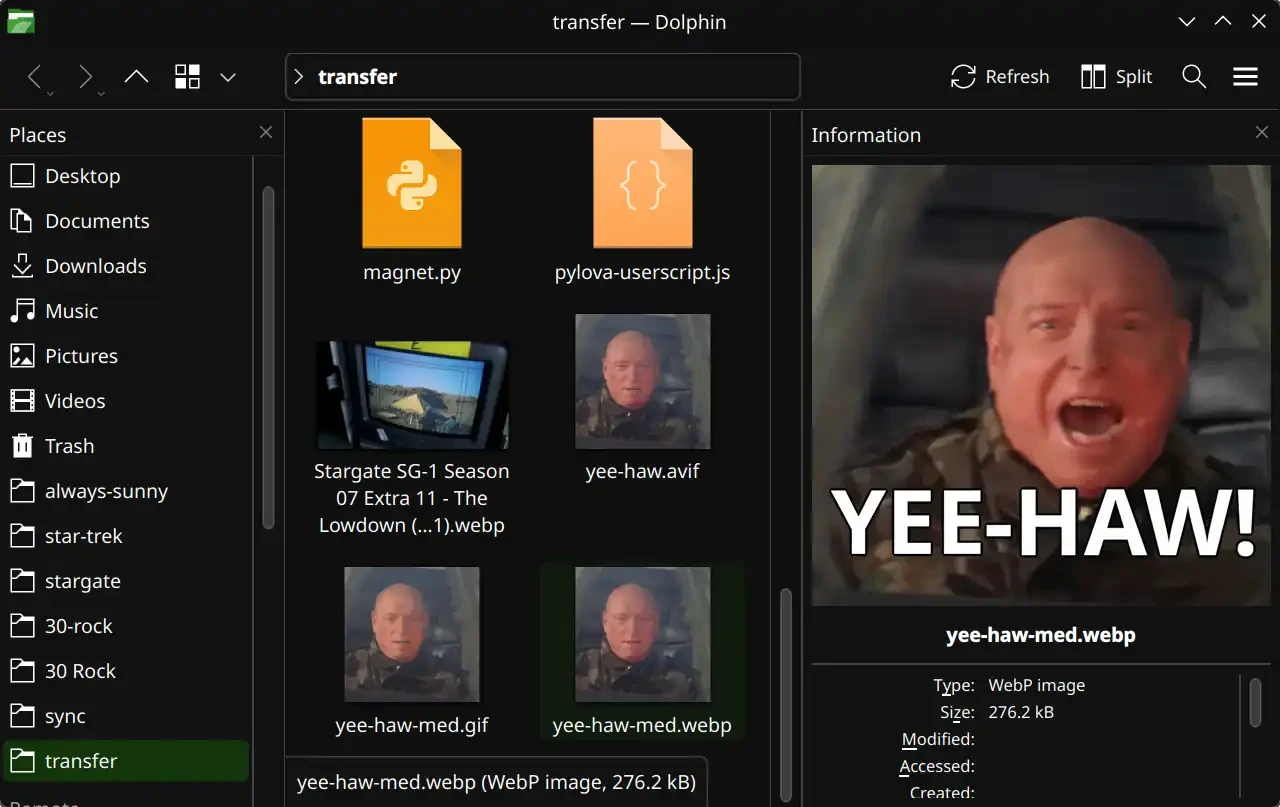
Dolphin seems to have that feature. Menu (the three lines button in the top right) > Show Panels > Information
If you already have Syncthing set up, yeah, it’s probably the simplest option. No need to install anything new, set up a new account somewhere, start a new Docker container, etc. I certainly haven’t tried all the options out there, but I don’t have any complaints about performance with this Joplin sync solution.
Certainly. This is what I do:
- Set up Syncthing normally (which you have obviously already done)
- Within the folder that you are synchronizing with Syncthing, create a new folder called
joplinor something - In Joplin (on desktop, mobile, and every device), set the synchronization target to your local filesystem.
- Configuration > Synchronization > Synchronization target > File system
- Point it to your
joplinfolder that you created in step 2
- Configuration > Synchronization > Directory to synchronize with (absolute path) >
/your/path/here/joplin
Subscribers

 103·2 months ago
There’s no law turning every adult’s phone into a brick tomorrow.
Is anyone making that claim? Based on what I see in that image, phones will have limited functionality. I don’t know enough about the situation to know if that’s overblown, but I certainly don’t interpret that as saying “bricked”.
So, every time I want to go back one frame, I have to open that plugin from the menu and then respond to that dialog window? That is certainly more cumbersome than the way MPV/Jellyfin do it, where scrubbing is just a keyboard shortcut. Even if I assigned a keyboard shortcut to activated that plugin (I assume that’s possible), I still have to respond to that dialog box?

When I scrub through a video to get the perfect frame to screenshot, the experience is usually something like:
- Pause video, no that’s not the right frame
- Scrub back five frames, not right
- Scrub forward one frame, looks closer
- Scrub forward one frame, looks closer
- Scrub forward one frame, that’s almost what I want
- Scrub forward one frame, that’s worse, I guess I went too far
- Scrub back one frame, settle on that one
Using MPV, that’s pretty simple because each step there is just a keystroke that takes zero effort and zero time. But if each of those steps also required me to respond to a dialog box, that would just make the process tedious.
That’s not as common of an occurrence as multiple versions of movies, but I have sure had a few instances when I wanted that for a TV show episode as well. That is certainly a welcome feature that I am looking forward to.
,and.scrub frame-by-frame during playback
That is exactly how MPV does it. But from what I remember, VLC devs claim it’s impossible, so VLC only allows you to scrub forward frame-by-frame, not backward. You can skip backwards in three-second increments or whatever, just not frame-by-frame at all. It’s the main thing that keeps me using MPV as my default video player, because I frequently skip around videos trying to get a screenshot of the perfect frame to use to make a meme or something. Being able to scrub frame-by-frame in both directions is a big deal.
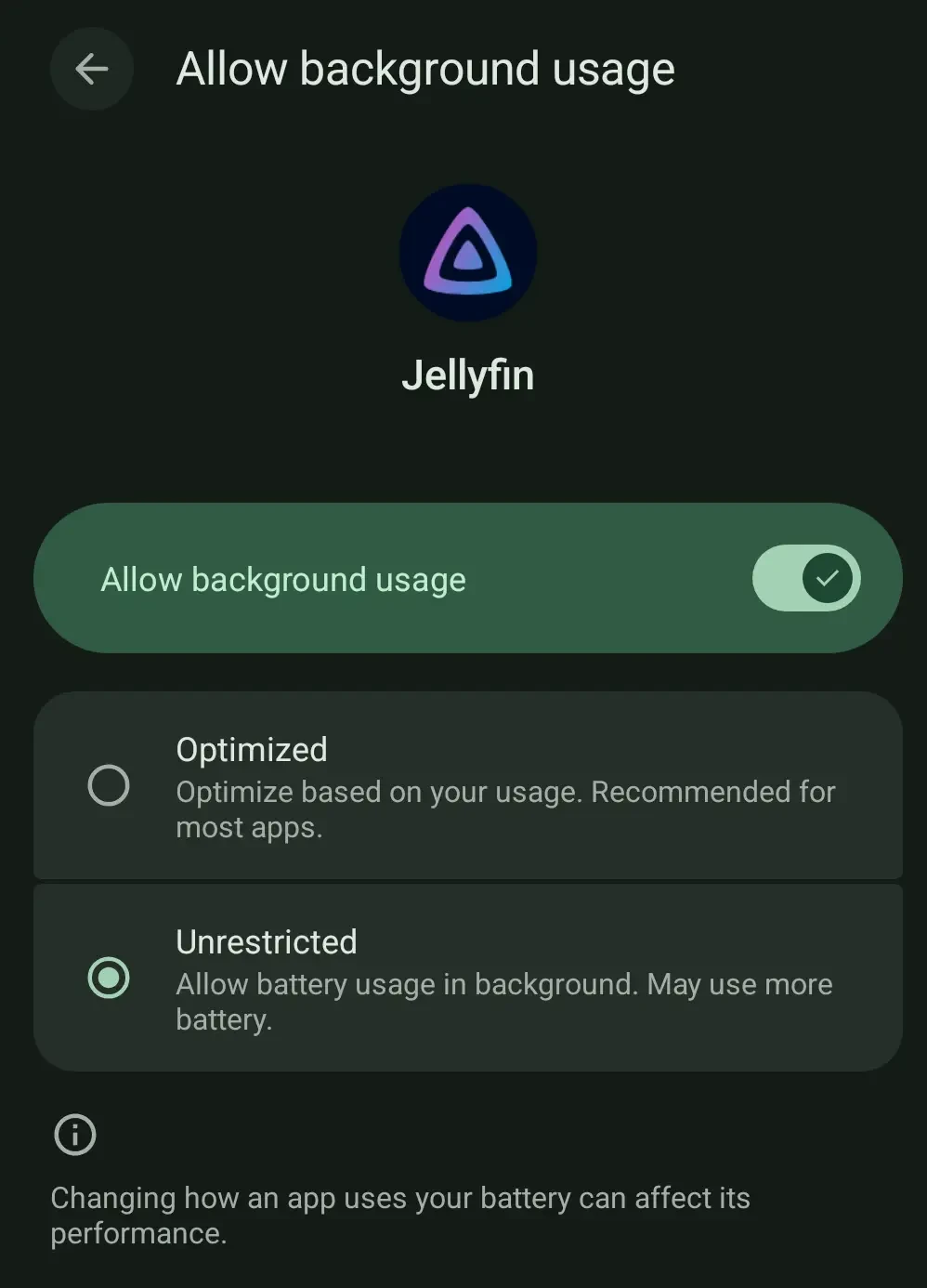
It’s set to “Unrestricted”:
Besides, like I say, the video does keep playing in the background, it is just the audio that cuts out after a few seconds.
Go to settings > client settings, enable the background audio with the checkbox:
That definitely does not fix the issue. Not sure if it is just certain devices or Android versions or whatever that have that issue, but having that checked makes no difference for me in recent months. Even with that setting enabled, if I start playing a video then switch to another app, the audio keeps playing for three seconds or so and then just cuts out. The video keeps playing in the background, but no audio.
All the UI/UX for AirVPN looks pretty bad. The website just looks… off, design-wise. But yeah, as long as the VPN works as intended…
Oh, it fails to install anything when Obtainium does not find an installable build.
That’s because not every git repo necessarily hosts installable builds at all. The main purpose of git is just to host the source code for that project. With that said, many repos do also build an installable release (
*.apk,*.exe, whatever) of each major version and host that in the “Releases” section.As an example, here is Obtainium’s GitHub repo. If you scroll to the bottom of the page, you see the “Releases” section that contains the most recent APKs and everything:
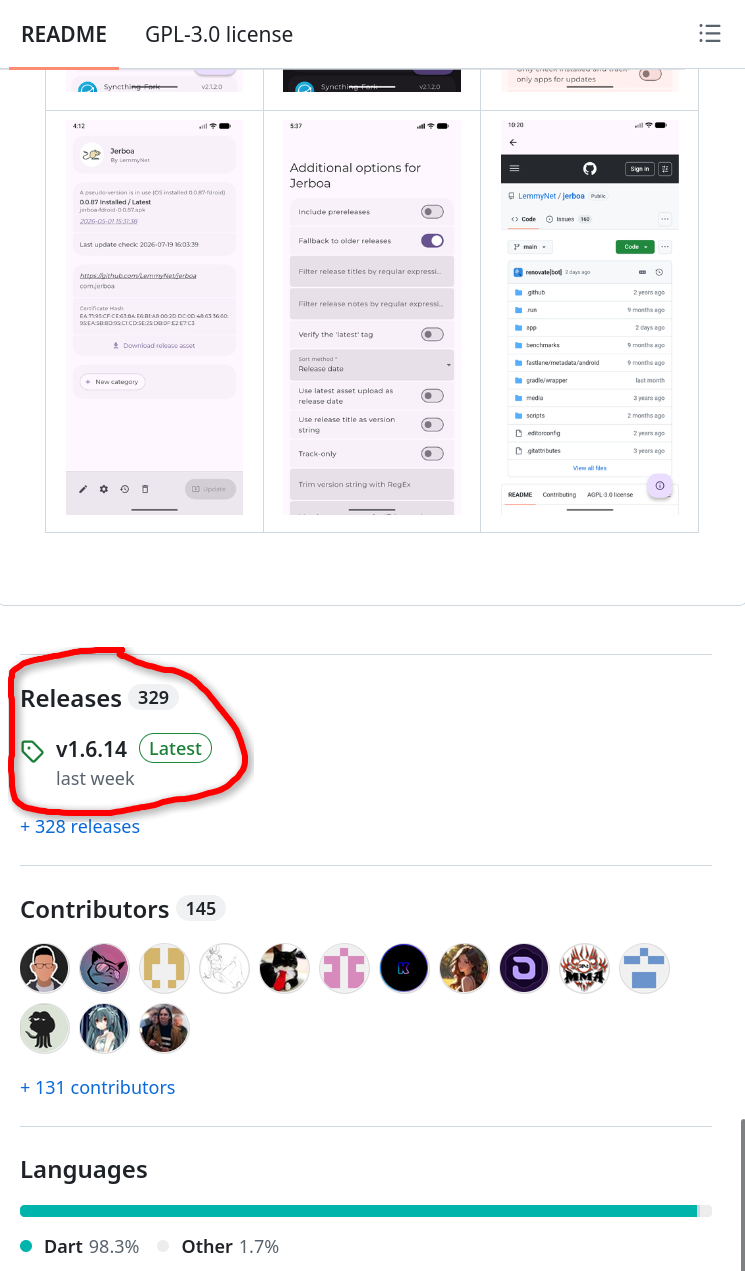
But not every git repo hosts releases. Eddie is one of those. The git repo for Eddie is just for hosting the source code. They host the releases on their own website instead. In that case, you can often just take the URL for whatever website is actually hosting the APKs and paste that into Obtainium and it will do its usual web scraping method to find the appropriate APK files for each update.
On the other hand, that web scraping often does not work and requires more complicated techniques to get Obtainium to find the appropriate APK files. That is where https://apps.obtainium.imranr.dev/ comes in handy. This is a crowdsourced list of popular apps that require more complicated techniques to add to Obtainium, and each has a neat little “Install” button to quickly and easily add that app to Obtainium by applying that complex config in the background for you.
But there are also some projects that don’t host releases anywhere other than F-Droid. In that case, by all means, just use F-Droid for that app.
If it was free, I could imagine downloading it once to try it out. But I doubt I would ever run it again after trying it once. It doesn’t seem like a more interesting or efficient means of selecting content to watch or anything like that. I would also be wary about giving a closed-source program access to my media library.
But if it costed any fee, even just a one-time purchase of 1€, I wouldn’t be interested at all.